BUILT IN PUBLIC / OPEN SOURCE
One skill library.
Across your coding agents.
Skills Everywhere turns the skills already on your computer into a shared local library. Install once, preserve your originals, and keep new skills available across your agents.
 Vamshi Krishna22 October 2026 · VamshiCreates 6 min read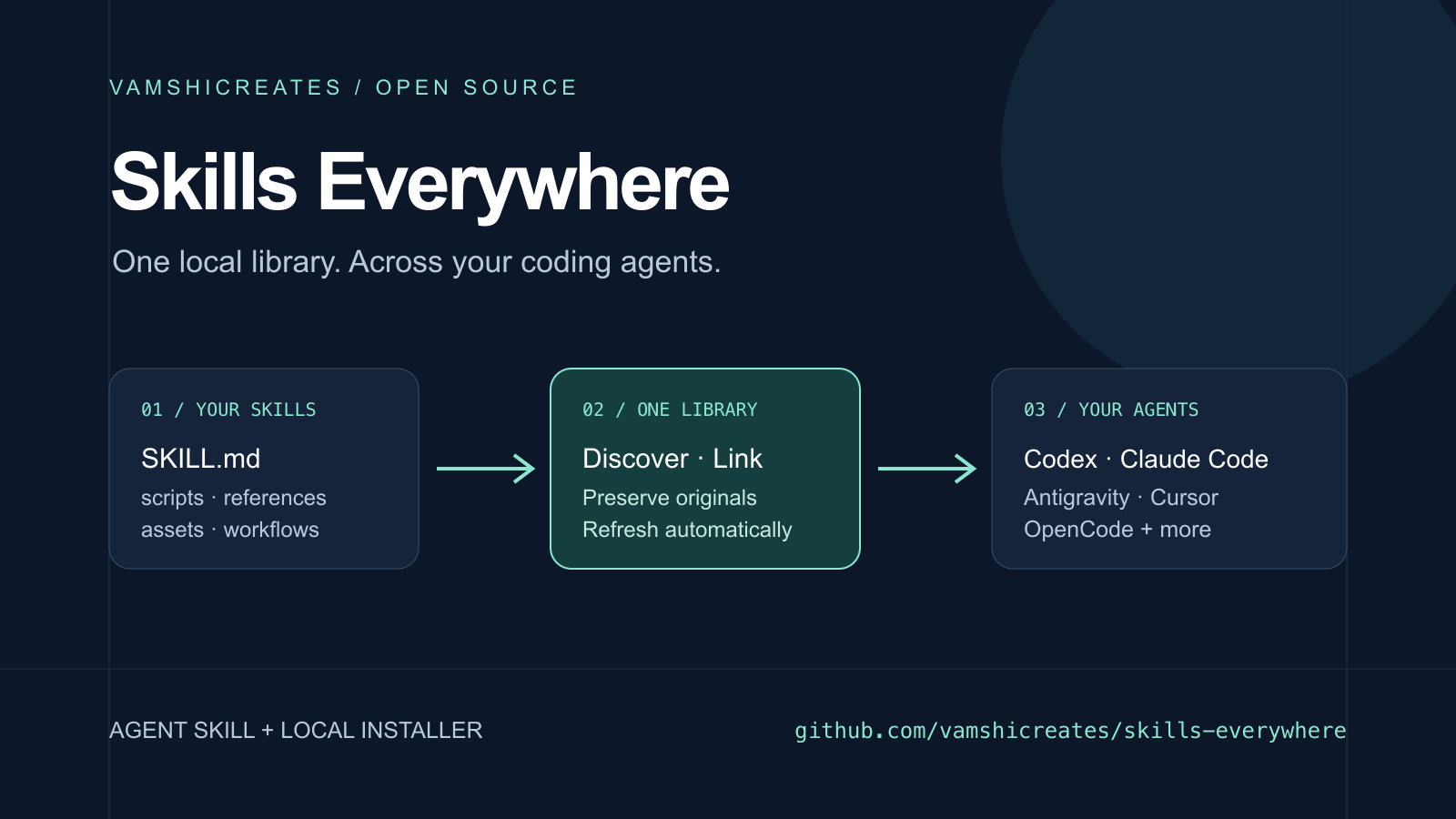
I wanted the skills on my computer to be available to whichever coding agent I opened next. A useful workflow in Codex should also be easy to find from Claude Code or Antigravity.
That led to Skills Everywhere: an open source Agent Skill with an installer that discovers existing skill bundles and links them into other agents' global skill folders.
01 / THE STARTING POINT
The skills were already there.
My local setup had grown across several tools. Some skills lived in a shared .agents folder, others in Codex or Claude folders, and others alongside projects. Several agents already shared a small set, but their larger collections were separate.
The first consolidation found 897 skill names and 981 distinct instruction versions on this Mac. Those numbers describe my local inventory. The public repository contains the sharing tool and its own skill, rather than a collection of those third-party skills.
I wanted to keep the original files, make the collection easier to discover, and avoid repeating the setup every time I added another skill. Once that worked locally, packaging the workflow as a skill was the next step.
02 / THE MECHANISM
A common format, several discovery folders.
The Agent Skills specification gives us a reusable bundle: a SKILL.md file, with optional scripts, references, and assets. Agents still have their own rules about where to discover those bundles.
Skills Everywhere reads the existing folders, builds a library, then places symbolic links into the selected global locations. A symbolic link is a filesystem reference to another location. It lets an agent reach the shared bundle while its source files stay where they were.
The adapters cover Codex, Claude Code, Cursor, Antigravity, Gemini CLI, OpenCode, Devin, Windsurf, Continue, Copilot, and the shared ~/.agents/skills convention. The default destination set follows configuration folders already on your machine. You can explicitly prepare every supported destination.
03 / TRY IT
One installation, with a plan you can inspect.
Version 0.1.0 requires Python 3.10 or newer, Git, and macOS or Linux/WSL. The installer creates an isolated Python environment and installs its pinned YAML parser.
curl -fsSL https://raw.githubusercontent.com/vamshicreates/skills-everywhere/v0.1.0/install.sh | bashIf you prefer to inspect the code first, clone the tagged release and run the installer from the checkout:
git clone --branch v0.1.0 https://github.com/vamshicreates/skills-everywhere.git
cd skills-everywhere
bash install.sh
On macOS, setup enables a user LaunchAgent that refreshes sharing at login and every five minutes. Linux and WSL users can run the foreground watcher. Start a new agent conversation, or restart the agent, when its discovered skill list needs to refresh.
The repository also has a standard root SKILL.md. Install it with your normal skill installer, then ask your coding agent to use Skills Everywhere to inspect and share your library.
04 / EVERYDAY USE
Add the next skill in one place.
After setup, put a new skill in the library's inbox:
~/.local/share/skills-everywhere/inbox/my-skill/
├── SKILL.md
└── scripts/
The next refresh discovers it. Skills newly installed in a recognized agent folder are picked up too. Shared manifests update during a refresh, and supporting files remain linked to their sources.
Project collections are added explicitly. The default scan covers agent skill folders, so a project-specific workflow stays local unless you choose to include its folder.
# Preview without writing files
~/.local/share/skills-everywhere/skills-everywhere plan

# Include your own collection and refresh
~/.local/share/skills-everywhere/skills-everywhere --source ~/my-skills sync

# Inspect recorded registrations
~/.local/share/skills-everywhere/skills-everywhere status
05 / KEEP YOUR WORK
Different versions stay available.
Two folders called review can contain different instructions. They can also have identical instructions and different helper scripts. The installer fingerprints supporting files as well as the skill manifest, then gives distinct bundles hash-suffixed names.
Existing files and links keep their current paths. Where an agent already has a short name, that entry retains its meaning. The explicit variants let you select a particular bundle across destinations.
The installer records the links it creates. During uninstall, it removes a global registration only if that link still matches its recorded target. Original skills, links you have changed, and the local library are preserved.
~/.local/share/skills-everywhere/skills-everywhere uninstallThe test suite checks repeated installs, future additions, conflicting bundles, invalid metadata, interrupted installs, and preservation during undo. These checks use temporary home directories.
06 / COMPATIBILITY
Share the method. Check the dependencies.
A skill can tell an agent how to edit a video, create a design, or deploy a site. The agent still needs the corresponding binaries, MCP connections, accounts, permissions, and app-specific APIs.
For example, sharing a skill that expects a particular design connector makes its instructions accessible elsewhere. It does not establish that connector in another agent. A skill tied to one host may need adaptation before it runs successfully in another.
The release includes filesystem tests for discovery, sharing, and undo, with CI configured for macOS and Linux. This is not an end-to-end invocation test in every supported agent. Local folders also do not synchronize to cloud sessions or other machines.
Tools such as Vercel's Skills CLI already help install skills from repositories. Skills Everywhere focuses on the collection already on your machine and keeps sharing that collection across your local tools.
07 / OPEN SOURCE
Try it with your own collection.
The source, installer, Agent Skill, test suite, compatibility notes, and MIT license are on GitHub. Your skills stay on your computer; the installer does not upload them.
I would like to hear where discovery paths differ, which adapters need updating, and which real workflows travel well between agents. A useful report includes the agent version, the expected folder, and a small skill that reproduces the issue.